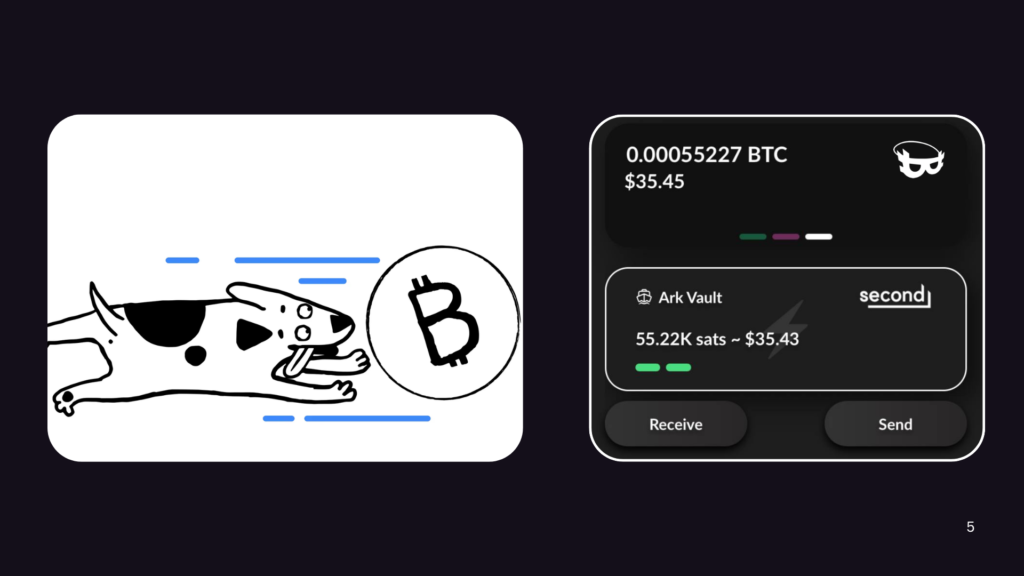
This is a short guide to using the Bark Vault in the Cypher Box app, a self-custodial Bitcoin and Lightning wallet built on the Ark protocol. It walks you through creating your vault, funding it, backing it up, recovering it, and keeping your funds safe as your lightning capsules refresh.
Your Bark Vault holds Bitcoin as lightning capsules (their technical name is VTXOs). This is not to be confused with the on-chain UTXO capsules you see in your Hot or Cold storage vaults. Lightning capsules are shown in 4 colors from green to red so you can tell how urgently they need to be refreshed. Each capsule is a small pocket of Bitcoin on the Ark layer that spends fast and cheap over Lightning. The one thing that makes them different from ordinary Bitcoin: every lightning capsule has an expiry date and must be refreshed to stay alive. We chose to let you control your coins directly rather than hiding this responsibility behind automated mechanics that can cause more harm and confusion than good. Refreshing only happens while the Cypher Box app is running. The app watches your capsules and sends reminders as expiry gets close (4 days, 2 days, then 24, 12, and 6 hours before), but if you never open it before a capsule expires, that balance can be lost forever
Read this before you fund a Bark Vault
Do NOT keep meaningful funds in a Bark Vault on a phone you expect to run out of battery, lose, break, or leave offline for long periods. Lightning capsules expire, and they can only be refreshed while the Cypher Box app is running on your phone. A dead or long-offline phone cannot refresh them, and an expired capsule can be swept and lost forever.
The Bark Vault is for money you can watch over. If you cannot promise to open the app periodically, keep your savings in a Hot or Cold storage Vault instead, and use the Bark Vault only for spending amounts.
Create your vault
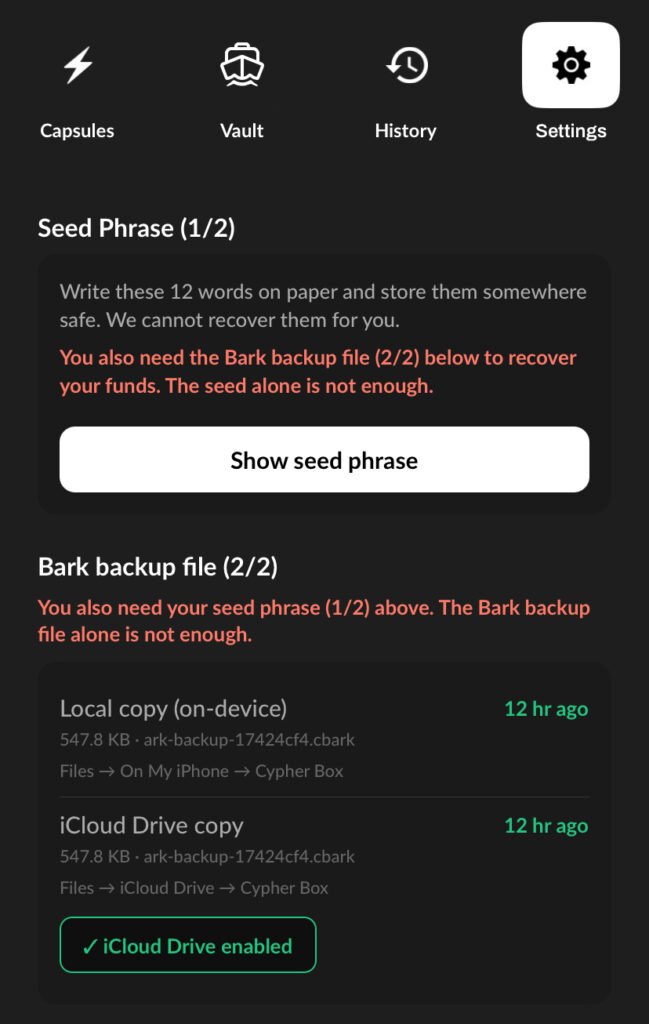
Creating a vault walks you through the two things you must save:
- Your seed phrase (12 words).
- Your Bark backup file (
.cbark).
Warning: Your seed words alone cannot bring your capsules back, so both pieces matter. You can also let the app keep your seed on the device behind Face ID / Touch ID for quick unlock later.
Back up (you need BOTH pieces, in TWO places)
- The seed phrase and the
.cbarkfile together are what actually restore your money. - Keep a local copy (the app saves the
.cbarkon your phone automatically; on iPhone it’s in Files, On My iPhone, Cypher Box) and a cloud copy (iCloud Drive on iPhone, Google Drive on Android).
Keep both copies because they cover different accidents: the local copy saves you if the cloud is offline, the cloud copy saves you if you lose or break your phone.
Fund your vault
Three ways to receive:
- From another Bark user (a Bark address): instant and free.
- Over Lightning (a Lightning invoice): the most common way. Money received this way lands as a short-life capsule (an “arkoor”), currently lasting only about 2 to 4 days, and it is not fully in your sole control until it is refreshed. So decide right away:
- Keeping it? Refresh it now so it becomes a full, self-custodial capsule.
- Spending it soon? Leave it, no need to refresh.
- On-chain (board): deposit Bitcoin, then board it in. On-chain top-ups arrive as long-life capsules (about a month), so no immediate action is needed.
Receive at least about 700 sats at a time. A capsule can only be refreshed if it is above the round minimum of 500 sats. Anything at or below that becomes “dust” that cannot be refreshed on its own and has to be spent before it expires, or it is stranded. Receiving 700 sats or more keeps a safe margin above the floor, so every capsule you hold can always be refreshed.
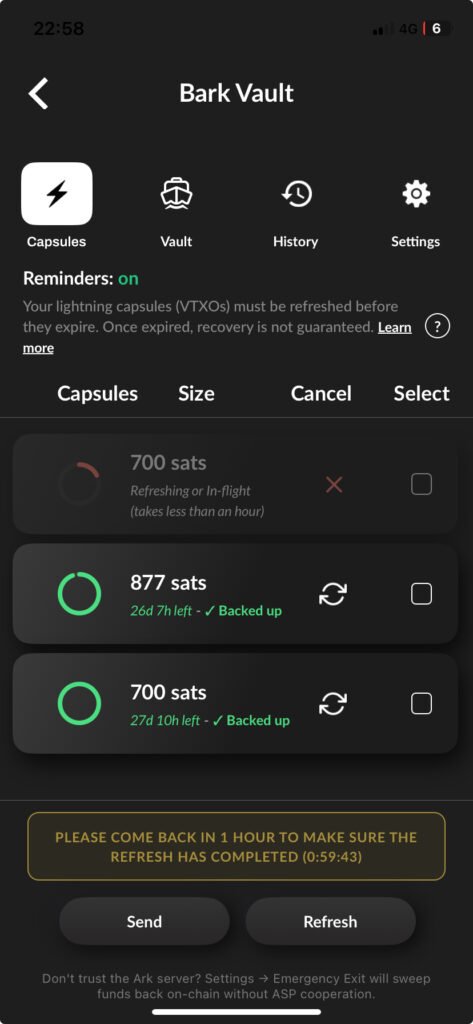
If you do end up with dust (capsules at or below 500 sats), you are not forced to refresh them one by one, which the round minimum will not allow. On a dust capsule the app shows a Dust refresh option that batches several dust capsules together, so their combined value clears the round minimum, and consolidates them into a single healthy capsule you can then keep or spend. One caveat: because the amounts are tiny, the on-chain fee for a dust batch can sometimes approach or exceed the dust itself, so it is a judgment call. If the dust is not worth the fee, just spend it as part of a normal payment before it expires, which folds it in.
On-chain deposits below about 50,000 sats cannot be boarded into a capsule. They are not lost. They stay in the Bark Vault’s attached on-chain wallet as ordinary on-chain Bitcoin. That balance is not yet a spendable lightning capsule and does not refresh or expire, it simply waits there until you add enough to board at least 50,000 sats, or until you use it to fund an Emergency Exit (see below). If you deposit a small amount on-chain and wonder why it did not appear as a capsule, this is why.
The refresh habit
Refreshing gives a capsule a fresh full life (about a month) and usually finishes within about an hour. Your capsule stays spendable the whole time, so you do not have to wait for a refresh to finish before using it. A simple safe habit:
1- Give it up to an hour, then glance back to confirm the capsule refreshed successfully. You can keep spending that capsule in the meantime.
2- Open the app every week or two and glance at your capsules. Make sure they are green, or at least yellow, not orange or red.
3- If any are getting close, let it refresh (or tap the reminder notification, which opens straight to your capsules with the refresh already running).
Tip: refreshing pays off if you ever exit
Keeping your capsules refreshed does more than prevent expiry. It also makes your Emergency Exit cheaper, faster, and more private if you ever need it. Fresh capsules have a smaller, simpler exit tree, so a unilateral exit pays lower on-chain fees, confirms and settles sooner, and reveals less about your balance. A vault full of healthy green capsules is the cheapest and safest one to walk out of.
A refresh needs your phone to keep running
A refresh only runs while the Cypher Box app is running, and once it starts it needs the app to keep running until it finishes (usually within about an hour). Your funds stay spendable that whole time, but the refresh itself still has to complete, so you can send the app to the background, but do NOT force-close it, let the phone die, or go offline while a refresh is in progress. If you do, the refresh pauses and does not complete until you reopen the app. Start refreshes when you know your phone will stay powered and online for the next hour or so.
If a refresh gets stuck
Sometimes the Ark Service Provider (second.tech), which coordinates users’ Ark off-chain balances with the Bitcoin network but never custodies funds, has trouble and a refresh will not complete. As a capsule nears expiry the app warns you and can open a “Stuck refresh” screen. It first cancels the stuck attempt to unlock your funds, then lets you move them somewhere safe before the deadline:
- Swap out to Strike or CoinOS (fast and cheap, best for smaller amounts).
- Send on-chain to your Hot Vault, Cold Vault, or any Bitcoin address.
Near expiry the goal is to get the money out, not to keep retrying.
Emergency Exit (your ultimate safety net)
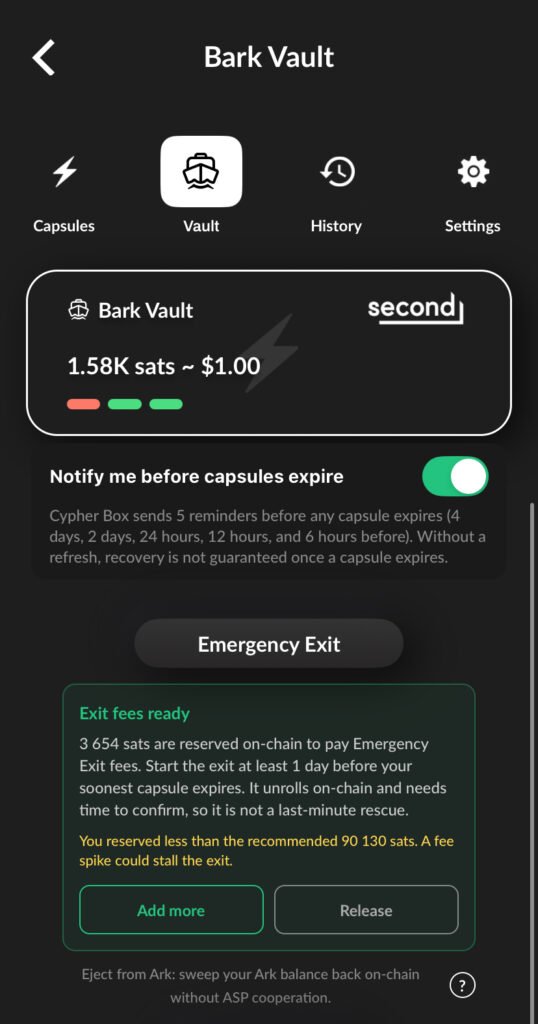
Emergency Exit, in the vault Settings, pulls your entire Ark balance back on-chain without needing the server’s cooperation at all. It is your guarantee that you can always get your money out. Know these:
- It takes about 24 hours. Bitcoin enforces a roughly 24-hour wait, and once started it cannot be cancelled.
- Start it at least a full day before your soonest capsule expires, because the exit transactions must confirm on-chain first. It is not a last-minute rescue.
- Fund the fee reserve first. A unilateral exit has to pay its own on-chain miner fees, and those fees come from the Bark Vault’s attached on-chain wallet, not from the balance being exited. You fund that wallet by sending on-chain Bitcoin to the vault’s on-chain address (this is the same wallet that holds sub-50,000-sat deposits), or by choosing to keep a small on-chain deposit as the exit-fee reserve when the app offers it. The app tells you how much to add and gates the exit behind “Fund exit fees first.” Without enough reserve, the exit cannot broadcast its fee-bumping transactions and stalls before your funds come back.
- Best for larger amounts, where the on-chain fee is worth paying. For small amounts, swapping to Strike or CoinOS is cheaper. You pick a Hot Vault, Cold Vault, or external address as the destination.
Test before you trust it with a lot
Before keeping a large balance, do a practice recovery: back up, then restore from your seed plus .cbark (same phone is basically Face ID unlock plus one tap; a new phone means typing the 12 words and loading the file). Confirm the balance comes back, then scale up.